


Winkelwagen
- Winkelwagen is leeg!
- ACER
- ALLIED TELESIS
- AMD
- ANTEC
- AOC
- APC/ MGE
- ASROCK
- ASUSTEK COMPUTER
- AVM
- AXIS COMMUNICATIONS
- BELKIN CORPORATION
- BENQ
- BROTHER
- CANON
- CASE LOGIC
- CHERRY
- CISCO SYSTEMS
- D-LINK
- DATALOGIC
- DELL
- DEVOLO
- DIGITUS
- EATON CORPORATION
- EMERSON NETWORK POWER
- EPSON
- ERGOTRON
- FUJITSU TECHNOLOGY SOLUTIONS
- GIGABYTE TECH
- HP INC
- INTEL
- IRIS
- KASPERSKY LAB
- KENSINGTON
- KINGSTON
- KODAK
- KYOCERA
- LENOVO
- LOGITECH
- MATROX
- McAfee
- McAfee LIC
- MICROSOFT
- MSI COMPUTER CORP
- NEC
- NETGEAR, INC.
- NEWSTAR
- NOKIA
- OPTOMA
- ORIGIN STORAGE
- PHILIPS
- PLANET
- PNY
- PORT DESIGNS
- RAIDSONIC
- SAMSUNG
- SAPPHIRE INTERNATIONAL INC.
- SEAGATE & MAXTOR
- SIEMENS
- SYMANTEC
- TARGUS
- TP-LINK TECHNOLOGIES
- TRUST
- V7 - VIDEO SEVEN
- WESTERN DIGITAL
- XEROX & VISIONEER
- ZYXEL
- Meer merken
Alle inspanningen werden geleverd om de correctheid van de gegevens te verzekeren. e-nitiative kan in geen enkel geval aansprakelijk worden gesteld voor foutieve productbeschrijvingen, tax codes en/of prijzen in gevolge enige veranderingen.De verstrekte informatie (specificaties, taxen, prijzen...) is uitsluitend indicatief en kan op ieder moment zonder verdere aankondiging worden gewijzigd.
RS-DATA bvba
Onze lieve vrouw ten steenstraat 1
B-3300 Tienen
België
Telefoon : 016/820712
BTW : BE 466.551.192



Uitgebreide beschrijving
Inleiding
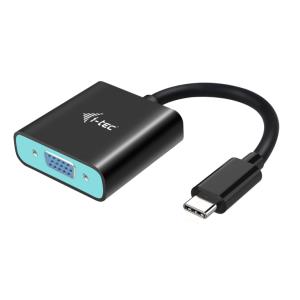
Breid uw desktop uit met één externe HDMI-monitor of sluit uw projector of televisie met een VGA-interface aan op uw notebook, tablet of pc via de nieuwe USB-C- of Thunderbolt 3-connector. De adapter ondersteunt Full HD-resolutie tot 1920x1080p@ 60 Hz.


